

Page templates
With SitePages V2 templates you create new pages from ready-made templates instead of starting from scratch. There are two kinds of templates:
Starter templates
Section titled “Starter templates”When creating a page (Pages → New page) you pick a starter template (landing, content, contact, FAQ): it fills the page with matching widgets that you then adapt freely.
Template gallery (club templates)
Section titled “Template gallery (club templates)”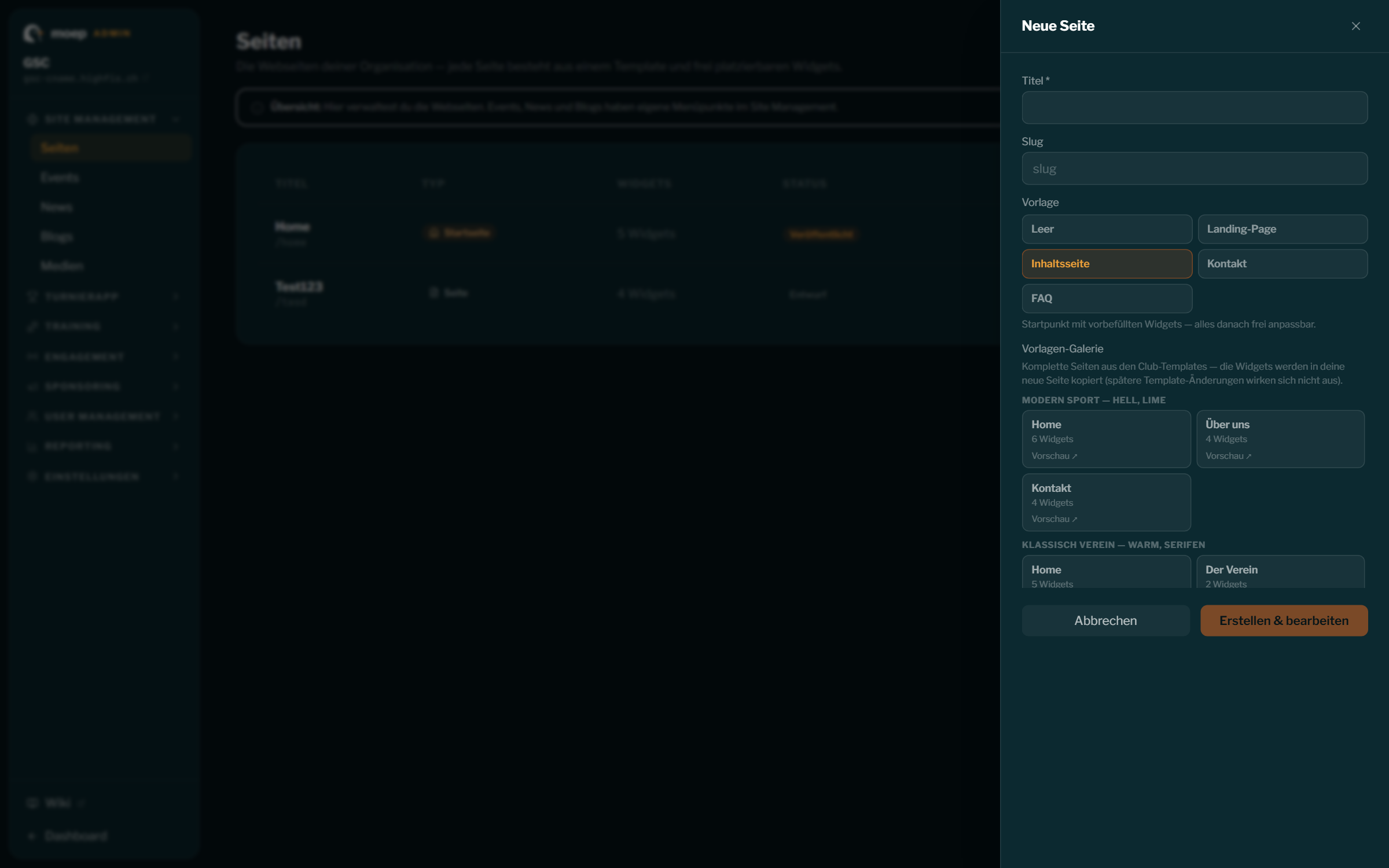
Below that, the template gallery shows complete, designed pages from the four club templates — including images and a well-thought-out structure:
| Template | Style |
|---|---|
| Club Template 1 | Modern sport — light, lime accent, top navigation |
| Club Template 2 | Classic club — warm, serif type, centered |
| Club Template 3 | Event & tournament — dark, amber accent, full width |
| Club Template 4 | Minimal — black & white, reduced |
- Click a template in the gallery (Preview ↗ shows it live).
- Enter title + slug and create — the template’s widgets are taken over into your new page.
- In the widget editor you then adapt content, images and layout freely.
Important: copy, not reference
Section titled “Important: copy, not reference”When creating from a template, the widgets are copied. Your page keeps no link to the template: later changes to the club templates never affect existing pages — and vice versa.
Colors and fonts always come from your design (Settings → Design & Branding) — the template brings structure, widgets and images, not the color scheme.