

Users & roles
MOEP cleanly separates account (the person on the platform) from membership (their belonging and rights in your organization). A person can be a member of several organizations — with different roles in each.
The role model
Section titled “The role model”Every member holds a set of roles — freely combinable. There are three kinds:
| Kind | Roles | Assignment |
|---|---|---|
| System | Owner · Administrator · Member | Owner is protected (only via ownership transfer); administrator has full org rights |
| Module | Trainer/Student (Training) · Moderator (Engagement) · Judge/Head Judge (Tournament) | Appear automatically once the module is enabled |
| Custom | freely definable | Under User management → Roles with granular permissions |
Rights are enforced server-side: whatever a role does not allow is blocked by the API — regardless of what might be visible in the browser.
Managing members
Section titled “Managing members”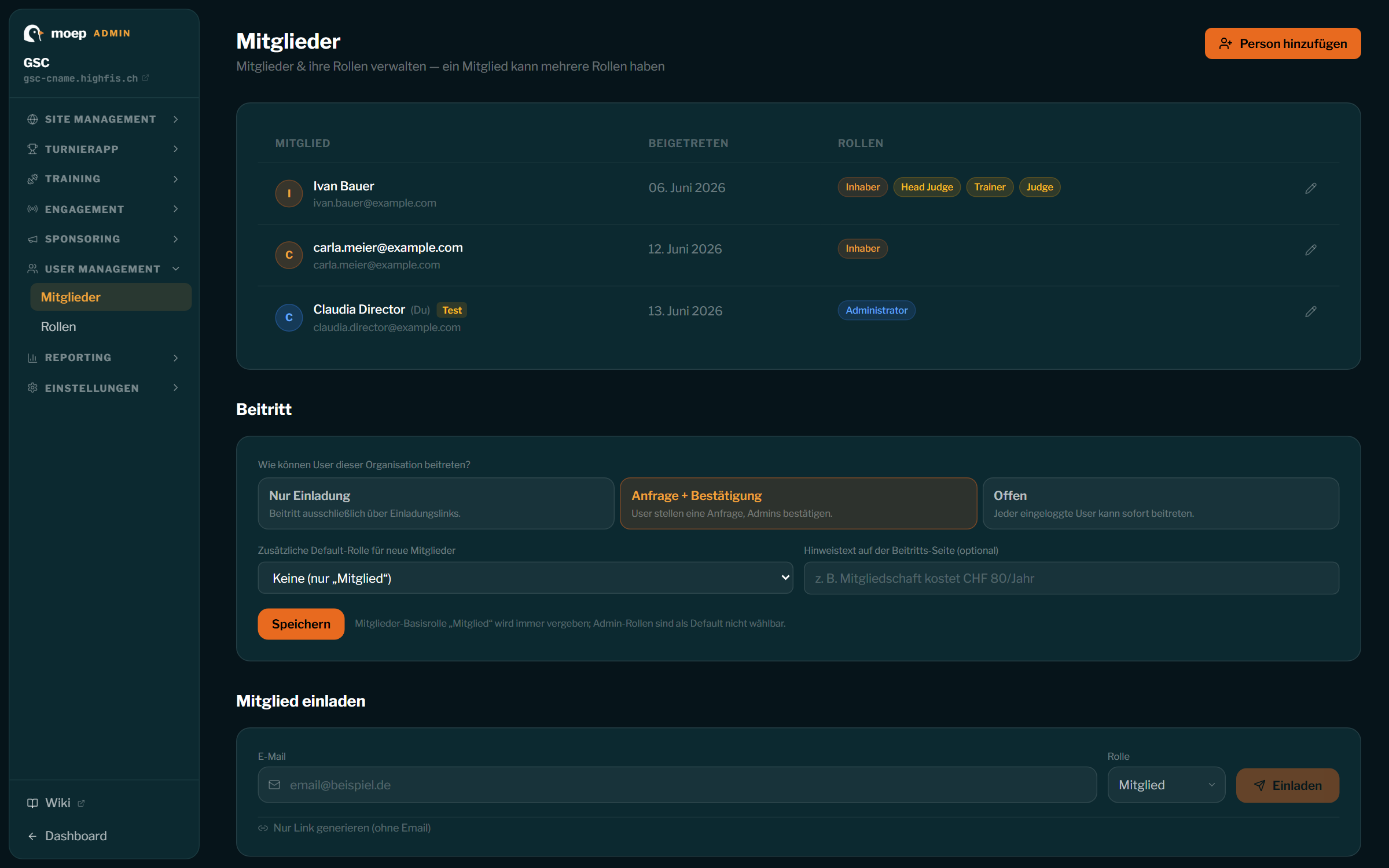
Under User management → Members:
- Invite via email or invite link. After registering and accepting, the person is automatically a member. Revoked invitations become invalid immediately.
- People without an account can be added by name (e.g. for team lists or the rider roster) — if you invite them later, they are automatically converted into real members on acceptance, keeping title and profile.
- The member editor (side drawer) bundles everything per person:
- Roles: add/remove (multi-select; the owner role is locked)
- Org profile: title (e.g. “Head Coach”), bio, photo
- Rider profile (extensible): age, favorite trick, home spot, sponsors, hometown, Instagram — visible e.g. in the public rider overlay
- Removing requires confirmation; the owner cannot remove themselves — only an ownership transfer makes another member the owner.
Custom roles with permissions
Section titled “Custom roles with permissions”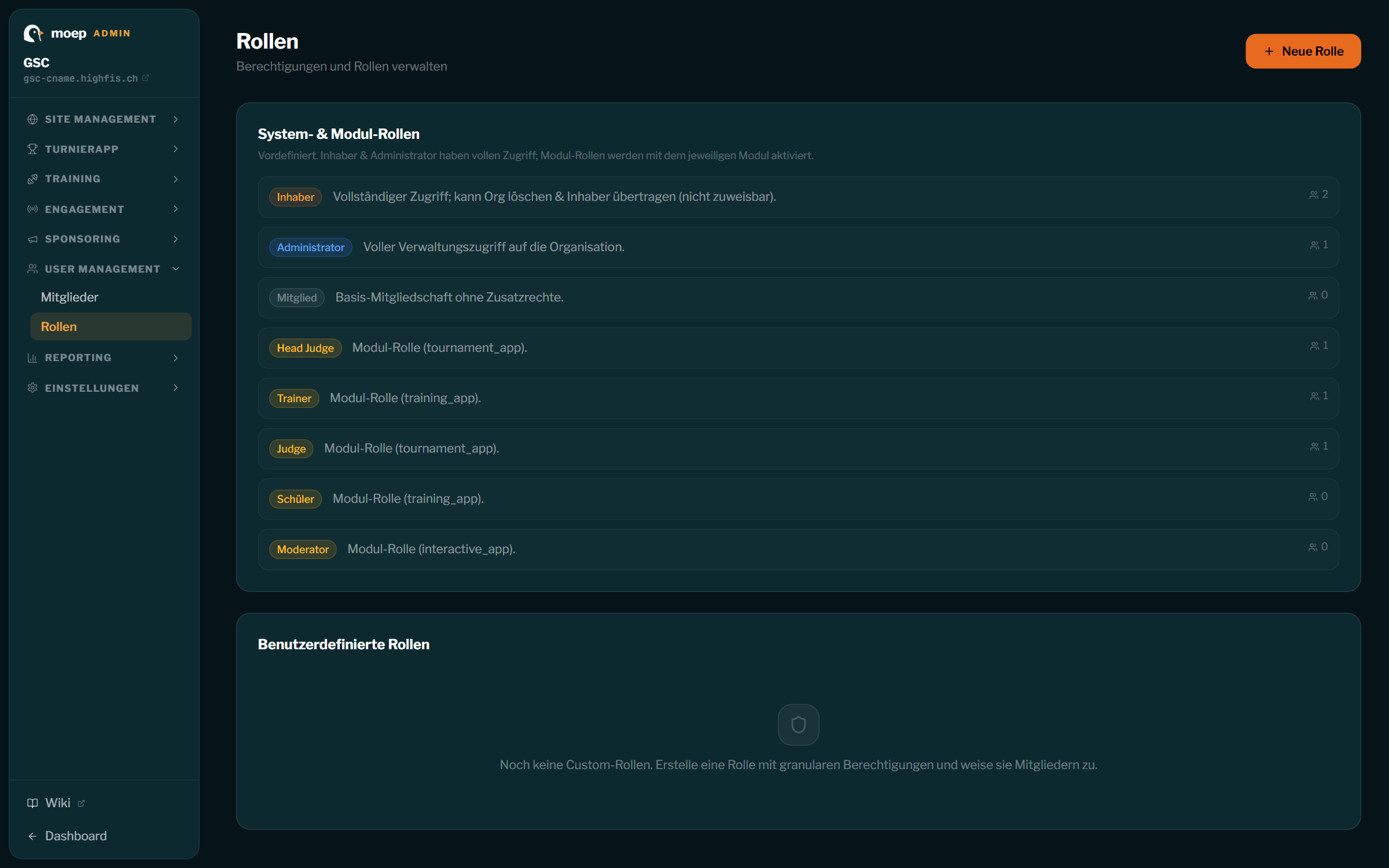
Under User management → Roles you create custom roles with a permission checklist (capabilities), for example:
- Manage events — create/edit/publish events
- Manage pages — maintain website, news and blogs
- Delete tournament — as a separate, deliberately granted right
Example: a role “Editorial” with manage pages lets helpers write news without giving them access to members or settings. System and module roles are visible on the roles page but cannot be modified.
Roles drive visibility
Section titled “Roles drive visibility”- Page visibility: every website page can be public, members only or restricted to a specific role — enforced server-side, even on direct URL access.
- Navigation: menu items respect visibility — visitors only see what they are allowed to; entitled members see their extra items after signing in.
- Dashboard: modules and areas only appear with a matching role/permission.
Good to know
Section titled “Good to know”- Judges don’t have to be club members — invite external judges directly in the tournament via email (guide).
- Platform administrators (MOEP operations) are not an org concept: they enable modules and manage plans but never appear in your member list.
- Every person controls their own profile: avatar, bio, language, notifications, plus GDPR data export and account deletion.
People without an account
Section titled “People without an account”A person is a name-only entry in your organisation without a MOEP account — handy for recording someone before they sign up. You can edit them at any time (pencil icon) and add their e-mail later.
Without an e-mail it stays a name-only entry: no account, no sign-in, and therefore no role — roles hang off a membership, and that only exists once there is an account. As soon as an e-mail is on file, you can invite the person.
The role travels with the invitation. Invite someone as a judge and they hold the judge role the moment they accept — you do not have to grant it afterwards.